Refresh Calculated Attributes in a Member Profile
A Calculated Attribute is a special type of Member Attribute whose value is dynamically derived using an expression, instead of being directly specified. The Calculated Attribute holds the result of the expression as it was last computed. You can use Calculated Attributes to automatically calculate values, such as Member lifetime spend, average order value, or Reward eligibility, without manual updates. For more information, see Create a Calculated Attribute.
Typically, Calculated Attribute values for a Member are refreshed by means of a Scheduled Job, or when the Member performs an Activity, or if an API call requests that the value be refreshed. In addition to these methods, you can manually refresh the Calculated Attributes in a Member Profile.
To manually refresh the Calculated Attributes in a Member Profile:
-
Select Members from the top navigation bar, then select Members > Members from the side navigation menu. The Members screen is displayed.
-
On the Members screen, search for and select the desired Member (see Search for a Member for more information). The Member Details screen is displayed with the Metrics tab selected by default.
-
Select the Profile tab.
-
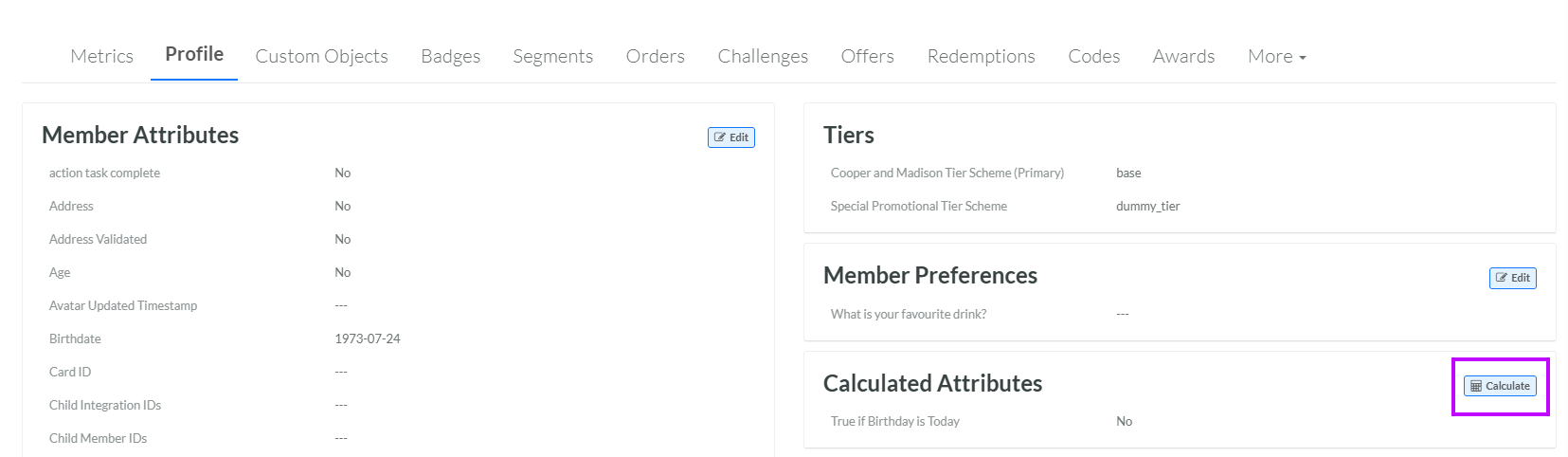
Within the Calculated Attributes section, click Calculate. The platform begins the refresh process.